Smoke Testing within CI/CD Pipelines
What are Smoke Tests?
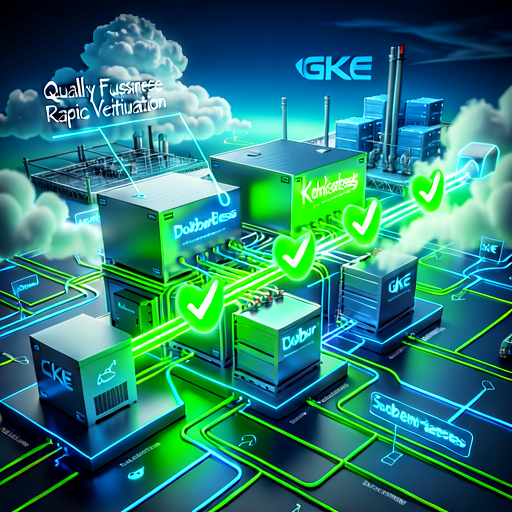
Smoke tests are a set of basic tests designed to verify that the most critical functions of an application are working correctly immediately after deployment. They act as a "first-pass check" to catch major issues before running more extensive, time-consuming test suites. The term originates from hardware testing (checking if a device powers on successfully).
Why Use Smoke Tests?
Implementing smoke tests provides several significant benefits for development teams:
- Early Detection: Quickly catch deployment or configuration issues that unit/integration tests might miss.
- Fast Feedback: Provide rapid confirmation that the application is running and accessible in the target environment.
- Confidence in Deployments: Ensure that essential user flows or endpoints are working before promoting a build to production.
- Cost and Time Savings: Prevent wasted resources on further testing or manual QA if the deployment is fundamentally broken.
When Should You Use Them?
Smoke tests should be executed:
- After Deployment: Immediately following deployment to a staging or production environment.
- Before Promotion: Before promoting a build to the next environment (e.g., staging → production).
- On Every Pipeline Run: As an automated step within the CI/CD pipeline.
What Do Smoke Tests Verify?
Smoke tests focus on verifying basic functionality, such as:
- Accessibility: Confirming that the application is accessible in the target environment.
- Expected Responses: Validating that the server responds with expected HTTP status codes (e.g.,
200 OK). - Content Rendering: Ensuring that default pages render the expected static text.
Implementation Details
The tutorial demonstrates how to add these tests to a pipeline, often using Infrastructure as Code tools like Pulumi and scripting:
- Tools Used: Bash (
smoke.sh) or Python (using therequestslibrary). - Process Example: The example outlines testing scenarios such as:
- Is the application accessible after deployment? (Expected Result: Server responds with code 200)
- Does the default page render specific text (e.g., "Welcome to CI/CD")? (Expected Result: TRUE)
In essence, smoke testing bridges the gap between successful build/deployment and actual functional operation in a live environment, ensuring that automated processes lead to reliable software releases.
![{
"text": "\u0e40\u0e08\u0e32\u0e30\u0e25\u0e36\u0e01 AI: \u0e19\u0e27\u0e31\u0e15\u0e01\u0e23\u0e23\u0e21\u0e25\u0e48\u0e32\u0e2a\u0e38\u0e14 \u0e40\u0e04\u0e23\u0e37\u0e48\u0e2d\u0e07\u0e21\u0e37\u0e2d\u0e22\u0e2d\u0e14\u0e19\u0e34\u0e22\u0e21 \u0e41\u0e25\u0e30\u0e2d\u0e19\u0e32\u0e04\u0e15\u0e17\u0e35\u0e48\u0e15\u0e49\u0e2d\u0e07\u0e08\u0e31\u0e1a\u0e15\u0e32",
"files": [],
"sender": null,
"sender_name": null,
"session_id": "",
"context_id": "",
"timestamp": "2026-09-09 09:01:28 UTC",
"flow_id": "56928be0-113f-4561-91a6-c2616e67b657",
"error": false,
"edit": false,
"properties": {
"text_color": null,
"background_color": null,
"edited": false,
"source": {
"id": null,
"display_name": null,
"source": null
},
"icon": null,
"allow_markdown": false,
"positive_feedback": null,
"state": "complete",
"targets": [],
"usage": {
"input_tokens": 1440,
"output_tokens": 400,
"total_tokens": 1840
},
"build_duration": null
},
"category": "message",
"content_blocks": [],
"duration": null,
"session_metadata": null
}](https://api.echonic.ai/api/s3/uploads/media_1788948296888_8nzldc.png)